The web was built for humans. But increasingly, it’s being read, interpreted, and acted on by AI agents.
Watch now:
So what does an AI agent actually see when it visits a modern website?
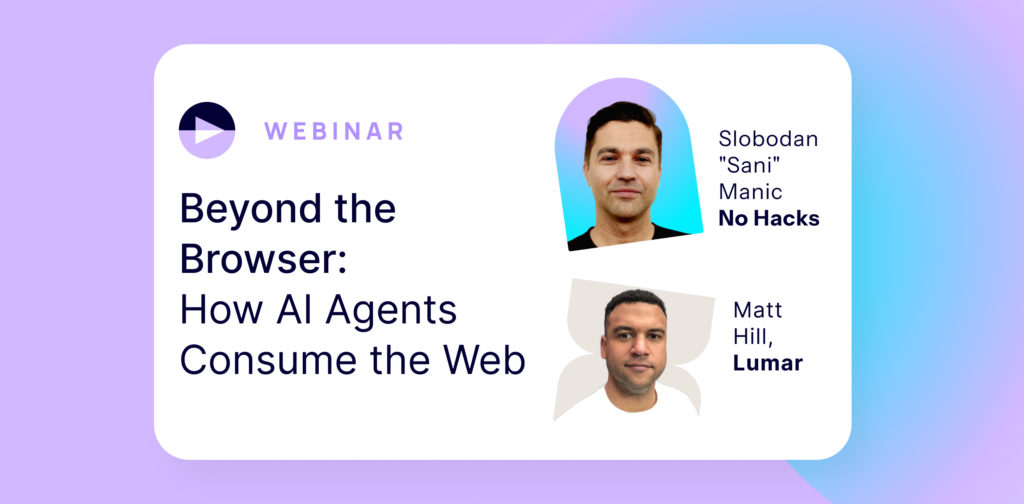
In our recent webinar Slobodan “Sani” Manic, Founder at No Hacks, and Matt Hill, Sr Solutions Consultant at Lumar explored how AI agents consume the web – and why the experience can look very different from what a human visitor sees in a browser.
They discuss:
- How AI agents and LLM crawlers consume web content
- What can disappear when JavaScript isn’t executed
- How the AI-readable version of a page can differ from the human-rendered experience
- What these differences mean for content visibility and discoverability
- Practical considerations for building websites that work for both people and AI agents
Read on for our key takeaways from the webinar or watch the full presentation on-demand in the accompanying video.
When a web page loads, what users see and what AI agents see is not the same
“Your page has versions you’ve never seen with your eyes,” Sani Manic says. “That is what AI reads.”
For example, if we visit the Adidas website while browsing for new running shoes, we humans are presented with a range of information: colours, styles, schema elements (such as review content), price, availability, promotions, and some light description about each product.
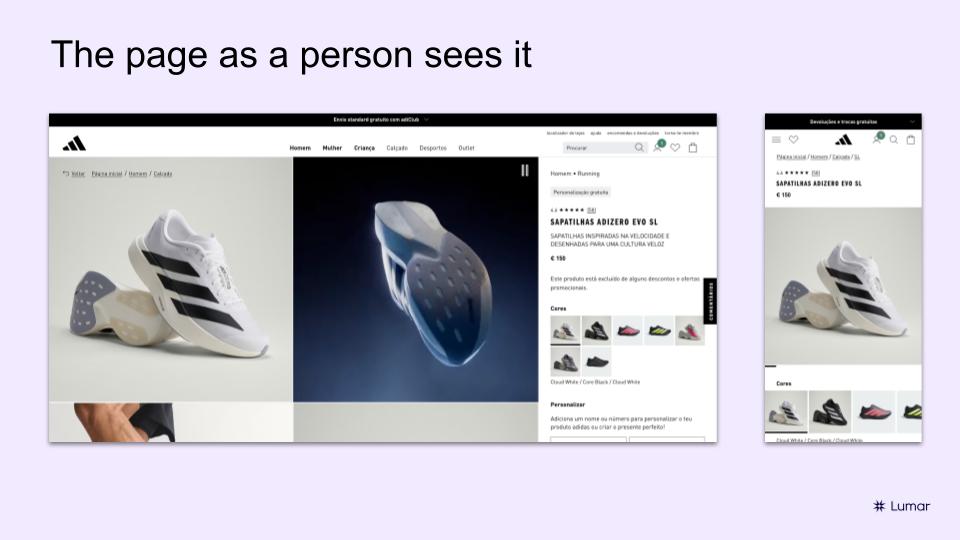
Under the fold, there’s more. Not top-level detail, but content that is important to those who are serious about running and perhaps more serious about making a purchase. These include: weight of shoe, drop of shoe, upper materials… all displayed for web users via an accordion widget.
Manic notes, however, that when AI services such as Claude are asked to summarise the page, they do not list these details.
Why? They are hidden behind JavaScript.
Likewise, Muse (Meta’s AI Agent) would probably not display this information either. Manic has found [note: and Meta has confirmed this] that Muse reads the accessibility tree on each page, which means that even when interpreting the company’s own FAQ, its answers are not in it.
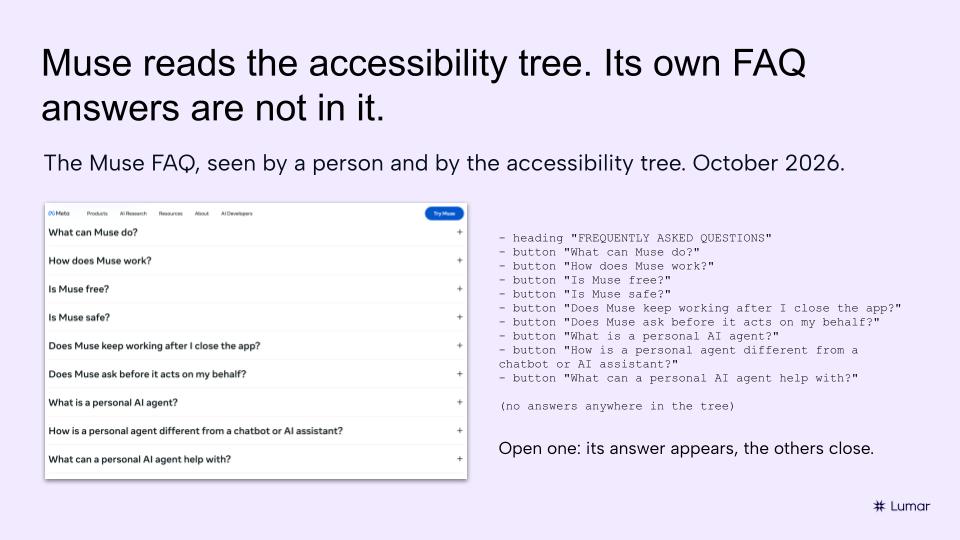
In short, both AI agents and humans who use assistive technology are not getting all the information they need from this page.
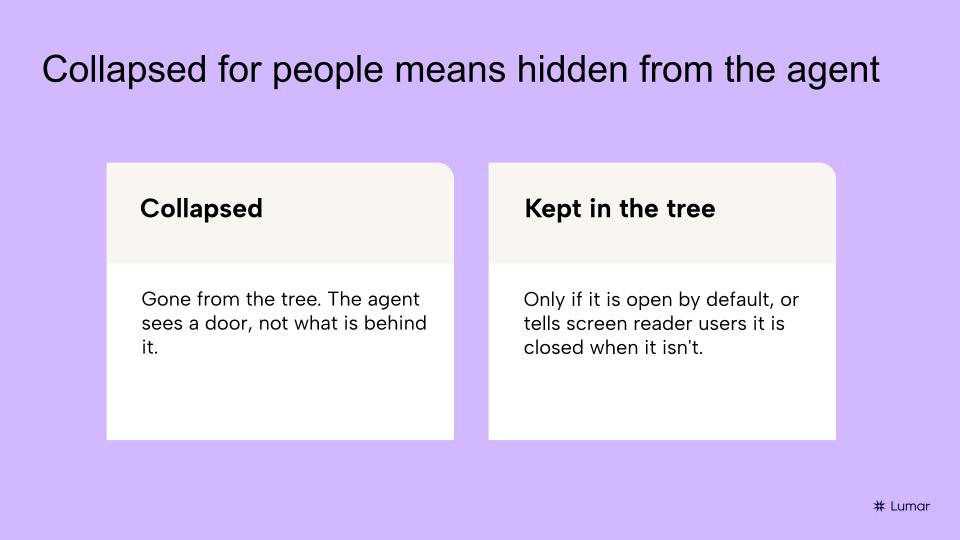
“When you click and open it, it pops up, it shows in the accessibility tree, but it’s just one, and then you click another one…it’s a game of Whack-A-Mole with answers,” Manic adds.
Today, we might have one page, but there might be three experiences:
- Visual layer
- Simple fetch – the HTML that’s returned
- The accessibility tree
But too often, we’ve only designed one of these. We’ve only optimised the visual layer.
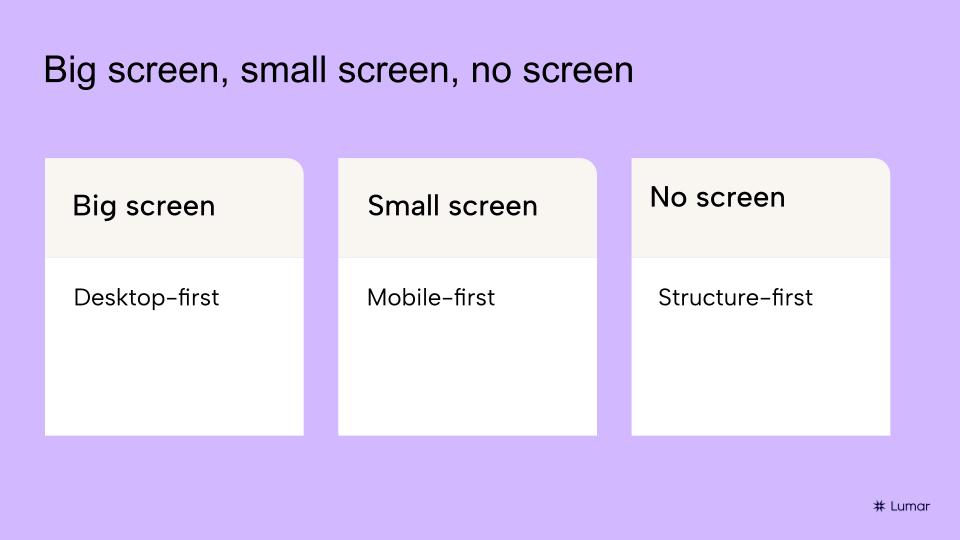
This reality is quite a big change for many developers and site owners. We’ve moved past desktop-first and mobile-first, to structure-first websites.
“You’re better off writing your schema first than doing the design first,” Manic says.
Crawlers, agents and layers
For Manic, it is important to understand the difference between crawlers and agents.
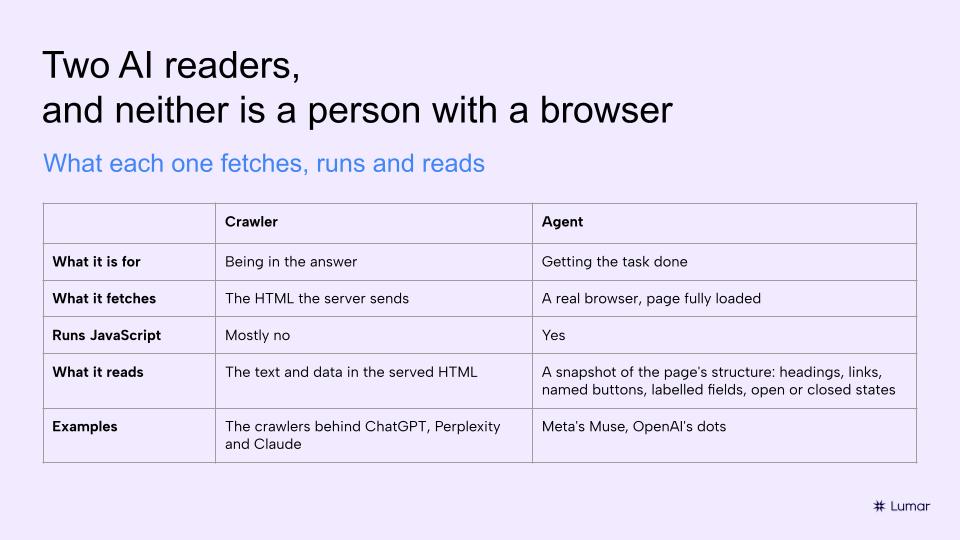
Crucially, an AI crawler never opens a browser.
An AI agent does fetch web pages via a browser, but doesn’t look at the screen.
Manic notes that there are a number of layers, or potential barriers, to how an AI agent gets content from a page. All need to be considered.
- The gate
Are you let in at all? These could include: robots rules, bot filters, consent dialog boxes, other popups. - What the server sends
Every reader that gets in has this. Most AI crawlers stop here. - What the page renders
What JavaScript might add. It can be different across Gemini, Apple, every agent, every user’s device etc. - What the structure says
Names, roles, open or closed, what an agent reads and acts on. - What’s behind a click
Panels, tabs, size pickers. Things that cost the reader an action.
Some AI readers are blocked before they even read a word on a webpage. Barriers within the above layers can mean facts about your brand/product are missing from AI answers. And AI agents may stall before they actually finish the task – they may exit your site and convert elsewhere.
Why businesses need to own this
According to Shopify storefront data, AI-referrals grew +197% year-over-year during Q2 2026. Orders from AI-referrals were up 3 times. And conversion rates were 80% better than organic search (once users had reached a product page).
Manic shows how we can simply multiply together the number of AI-referred sessions by their conversion rate and by average order values in order to see what’s at stake for our businesses.
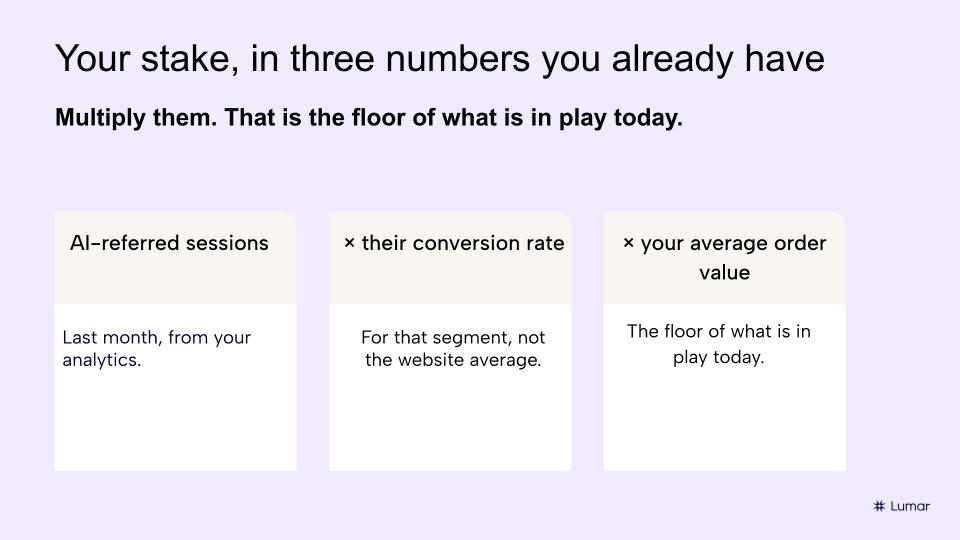
The good news is that we have control, here. We own this.
Not all content needs to be sent to AI agents, but according to Manic a human/team needs to have that decision and justification for not making that accessible.
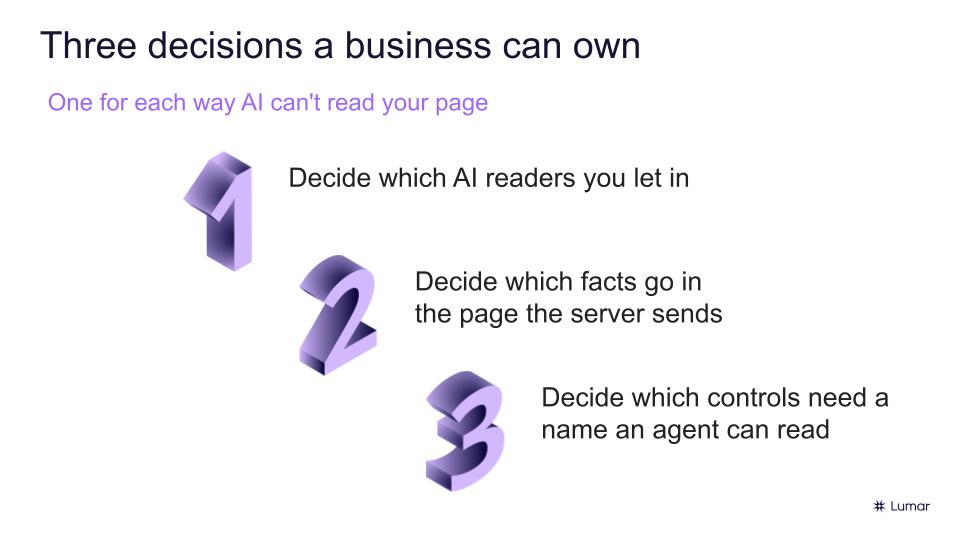
“Make sure that things are happening on your website are happening because you wanted them to be like that,” he says.
It’s a relatively simple exercise to work out where your facts – such as price, availability, delivery, returns – live today vs. where they should be. And a single fix can provide twice the return.
When it comes to buttons, for instance, a screen reader finds the control through its name and its role in the structure. Exactly the same way an AI agent does.
Increasingly, this level of accessibility is becoming law – with Europe leading the way. If you already sell into the EU, the structure an AI agent needs is the structure you should already be providing for disabled customers.
For those outside of the EU, now is the time to get aligned.
Summary: If we can’t control the screen, control the structure
Manic summarizes the four things to remember as we think about our websites beyond the browser.
- Three views
Every page exists three times. AI read the two you’ve never looked at. - No screen
Big screen, small screen, no screen. Start with the structure. - Decide
Who gets in. Which facts the server sends. Which controls an agent can name. - Measure
Every template, JavaScript on and off, controls checked. Name an owner.
Postscript: How Lumar can help with the JavaScript gap
Matt Hill points to a number of reports Lumar provides which can address the issues discussed today.
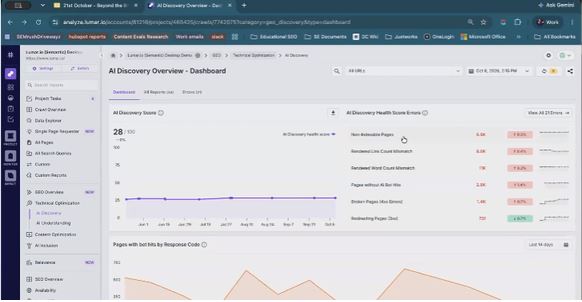
Word count mismatch, for example, can prioritize which sections of your site have the largest gaps in words that are missing.
These could be clear identifiers that you might want to build into a segment or custom report. We can also prioritize these by deep rank and add a layer of word count difference too.
Lumar looks at link count and canonical link matching, as well as JavaScript rendering, for impact/differences.
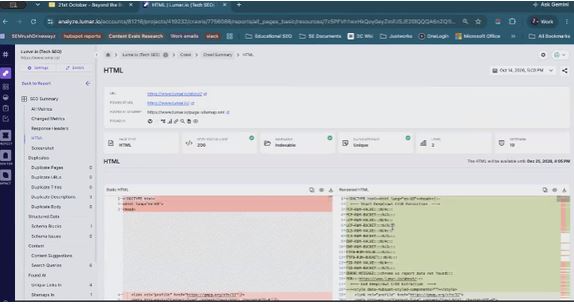
The platform can also be used to dig into page level details – all of the CSS and JavaScript run resources on a page.
We also have the capability in any project to show quickly a mismatch of the actual DOM versus the rendered HTML on your page. You can also search for different element comparison within that.
For more information or assistance with these features, get in touch!

Don’t miss the next Lumar webinar!
Sign up for our newsletter below to be alerted about upcoming webinars, or give us a follow on LinkedIn to stay up-to-date with all the latest news in SEO, GEO, and digital optimization.
Want even more SEO insights on-demand? Browse Lumar’s full library of SEO and website optimization webinars here.